Search Engine Optimization

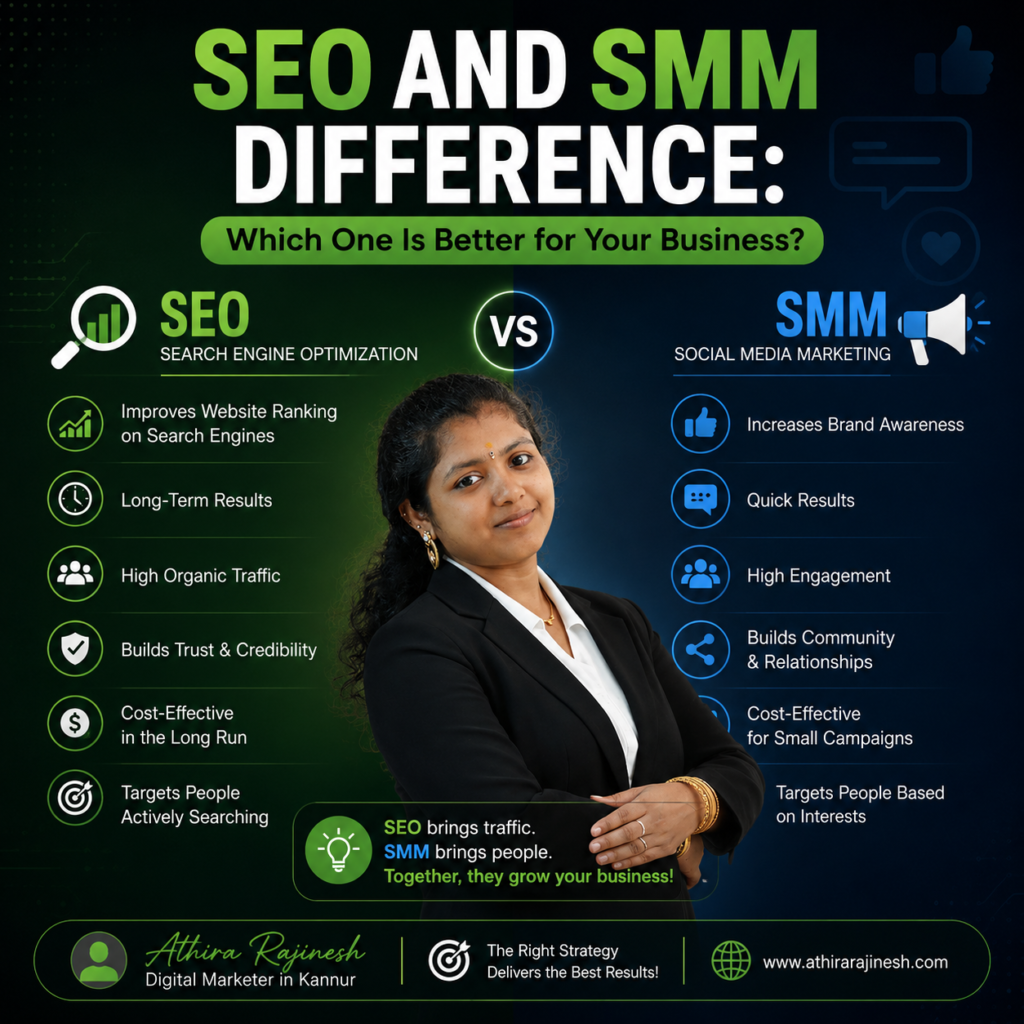
Many business owners want to grow online, but often feel confused about digital marketing terms. Two common strategies you may hear about are SEO and SMM. Both are important, but they work in different ways. Understanding the SEO and SMM difference will help you choose the right strategy for your business.

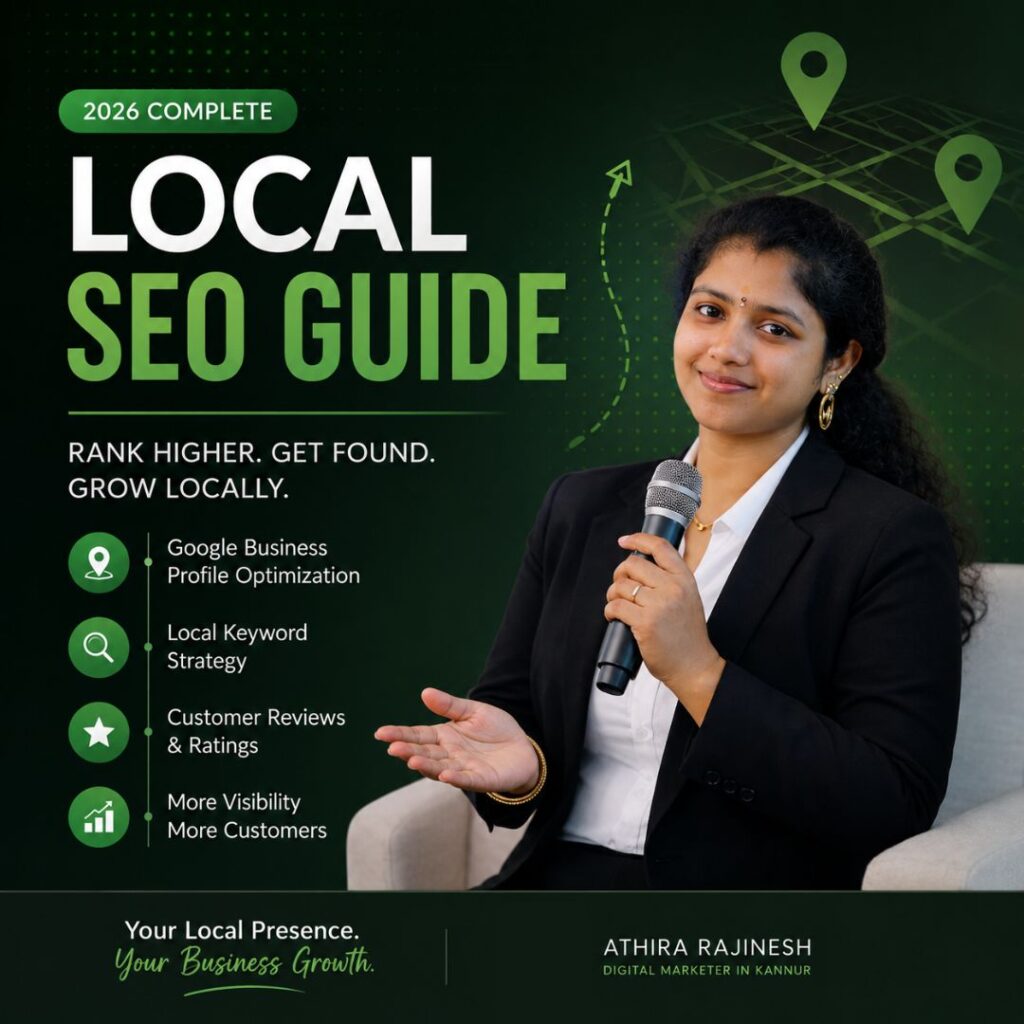
local seo guide athira rajinesh
Search Engine Optimization

Local SEO Guide: How to Rank Your Business Higher in Google Local Search (2026)

Local SEO Guide: Everything You Need to Know in 2026 If your business relies on customers from a certain city or region, then you definitely need a well-developed Local SEO strategy. Whether you own a restaurant, a clinic, salon, a legal office, a shop, etc., people use the internet to search for your product. A comprehensive Local SEO Guide allows your business to be visible in Google Search and Google Maps if people living nearby are searching for your services. Rather than spending large amounts of money on advertising, Local SEO allows you to attract relevant visitors that are interested in purchasing your products. This guide will show you how Local SEO operates and what it means for your business in 2026. What is Local SEO? Local SEO involves the process of optimizing your business’s online presence such that your business pops up when someone searches for things such as: Best dentist near me SEO Expert in Kannur Freelance Digital Marketer Coffee shop near me Digital marketing agency in Kerala Unlike regular SEO, Local SEO concentrates on optimizing visibility based on a geographic location. There are three essential components that Google uses in ranking businesses geographically. These include: Relevance Distance Prominence Why Local SEO Matters in 2026 There has been an enormous shift in consumer behavior. Today, More than 80% of consumers conduct an online search before visiting a local business. The number of mobile searches continues to grow annually. The popularity of voice searches such as “Find the nearest café to me” is growing. Artificial Intelligence search experiences favor businesses with strong local signals. The businesses not utilizing Local SEO lose customers to their competitors daily. Advantages of Local SEO Improved Google Rankings Local SEO optimization makes you visible in Google Local Pack. Increased Website Traffic Locally searching customers are more likely to make a purchase. This guarantees higher conversions compared to regular website traffic. More Phone Calls Local SEO optimization encourages users to make a phone call from Google itself. More Store Visits Google Maps directions lead customers to your store directly. Higher Trust Businesses with many positive reviews get many clicks. Greater Return on Investment Local SEO offers great long-lasting results without spending on ads. How Local SEO Works Data is collected from various sources: Google Business Profile Website Online directories Reviews Local Citations Backlinks Social Signals User Signals The stronger these signals, the better the local rankings will be. Step 1: Optimize Your Google Business Profile Your Google Business Profile (GBP) forms the core of Local SEO. Ensure that you: Select the right business category Fill in the complete information about your business Include business hours Upload quality images Provide business description Add services/products Turn on messaging Regularly update your profile Answer all customer queries Collect authentic reviews Businesses having an optimized profile usually attract more attention than those with less optimization. Step 2: Optimizing Website for Local SEO It is essential to show the location of your business on your website. Use: City name in title tag Location specific landing pages Local keywords Service area pages Google maps Contact details Click to call buttons Local testimonials For instance, Replace “SEO Services” with “SEO Services in Kannur” Step 3: Focus on Local Keywords Keyword research continues to be an integral part of Local SEO. Some examples are: SEO Expert in Kannur Best Digital Marketer in Kerala Local SEO Services Google Business Profile Optimization Local SEO Expert Freelance Digital Marketer Website Designer Near Me SEO Company in Kannur Incorporate them into: H1 H2 URL Meta Title Meta Description First paragraph ALT Text for Images Step 4: Gain Local Citations Citation is an online listing of your business name, address, and telephone number (NAP). Common sources for citations are: Google Business Profile Bing Places Apple Maps Justdial IndiaMART Sulekha Facebook Yelp Yellow Pages It is vital to have consistency in NAP across all platforms. Step 5: Obtain Reviews from Customers They affect your ranking and trust. Request reviews from happy customers. Respond to every single review, including negative reviews. Google loves interaction. Step 6: Generate Local Content Creating content helps you build authority. Some ideas: Best Restaurants in Kannur Local SEO for Kerala Businesses Digital Marketing Trends in Kerala Google Business Profile Tips SEO Checklist for Small Businesses Creating content about your local area enhances topical authority. Step 7: Improve Website Speed Fast websites rank better. Optimize: Images Caching Hosting CSS JavaScript Core Web Vitals A slow website affects both SEO and user experience. Step 8: Build Local Backlinks Backlinks are one of Google’s best ranking factors. Good backlink sources include: Local newspapers Chamber of Commerce Industry associations Business directories Local blogs Community organizations Sponsorships at events Quality always beats quantity. Step 9: Use Schema Markup Local Business Schema helps search engines understand your business data. List: Business name Address Phone number Hours Reviews Coordinates Website URL Schema increases your chance to get rich search results. Step 10: Optimize for AI-Powered Search Search is constantly changing. New AI-driven search engines look at: Relationships between entities Expertise Content quality Engagement metrics Reviews Branded mentions To be prepared: Write comprehensive content. Answer frequently asked questions. Build topical expertise. Keep up-to-date business information across all sites. Publish new insights consistently. Common Local SEO Mistakes to Avoid Don’t do these: Incomplete Google Business Profile Keyword stuffing Multiple location pages Consistent business information False reviews Ignore mobile optimization Slow website No local backlinks Missed schema markup Out-of-date contact information Local SEO Checklist ✓ Google Business Profile Optimization ✓ Complete Business Information ✓ Add local Keywords ✓ Location Pages Creation ✓ Build Citations ✓ Collect Reviews ✓ Local Blogs Publishing ✓ Speed Optimization ✓ Backlinks Building ✓ Local Business Schema ✓ Image Optimization ✓ Track Rankings ✓ Google Search Console Monitoring ✓ Google Analytics Analysis How to Measure Local SEO Success Track: Google Maps rankings Website Traffic Organic Traffic Calls Directions Form Submissions Keyword Rankings CTR Reviews Conversion Rate Analysis will help you refine your strategy and increase your success. Why Should You Hire a Local
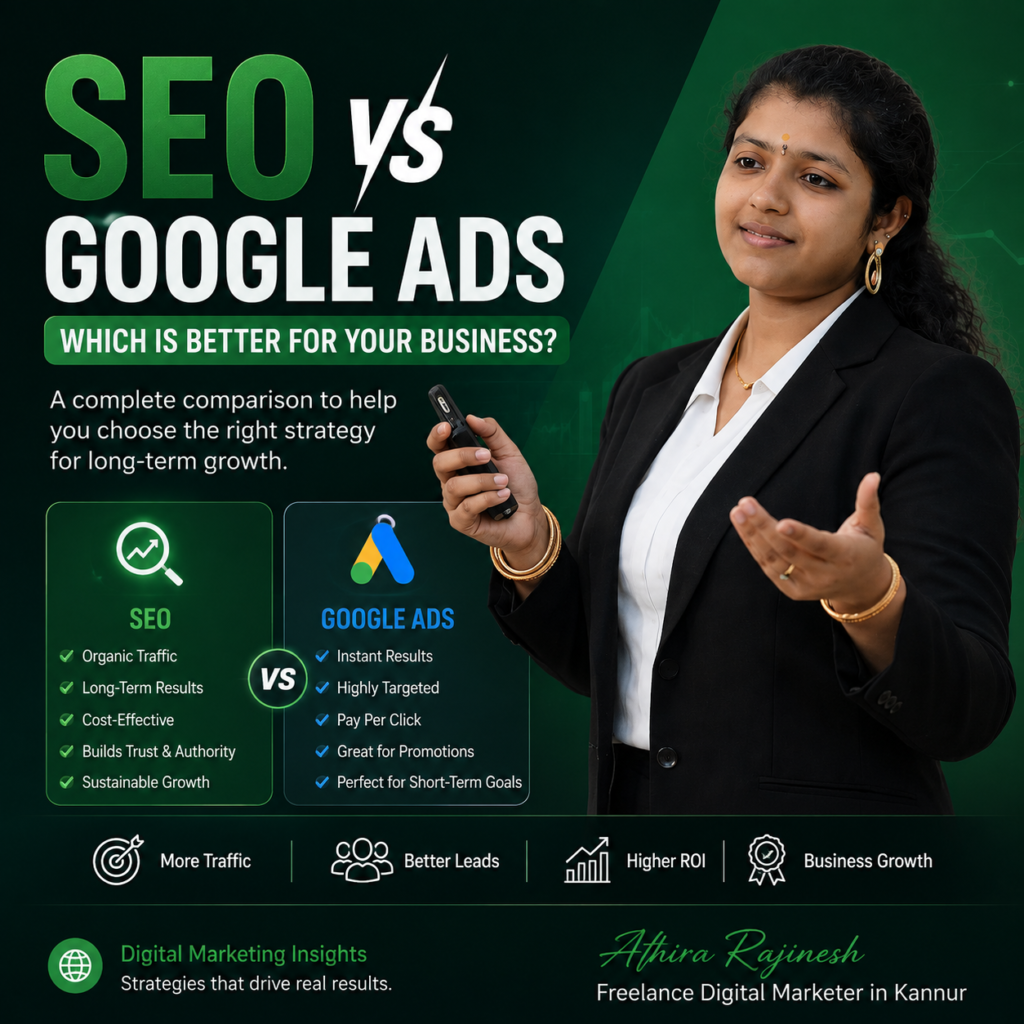
seo vs google ads
Search Engine Optimization

SEO vs Google Ads: Which Is Better for Your Business in 2026?

SEO vs Google Ads – Which Is Better for Your Business in 2026? When considering how to expand your business online, one thing you have most definitely asked yourself is this: SEO vs Google Ads – which one is the better choice? Both SEO and Google Ads can bring you traffic, leads, and sales. However, both methods are fundamentally different in how they accomplish these goals. SEO optimizes your site so that you can get ranked on Google, whereas Google Ads enables you to be featured as the first result in Google instantly through paid ads. It all comes down to your needs, budget, competition, and timeframe. In the following post, we will discuss SEO vs Google Ads and help you make an informed decision on which one gives you the most value in 2026. What is SEO? SEO or Search Engine Optimization is the optimization of your website to make it rank higher on Google’s search engine results page without paying for each click. SEO includes optimizing the following: Website Speed Technical SEO Quality of Content Keyword Optimization Internal Linking Backlinks User Experience (UX) Mobile Optimization Local SEO Structured Data A good SEO tactic will continue driving traffic even after you cease investing in it. What is Google Ads? Google Ads is the PPC advertising solution offered by Google. Rather than waiting for months to be ranked in organic search results, companies bid on keywords to appear right away at the top. You only pay when someone clicks on your ad. Google Ads consists of the following: Search Ads Display Ads Shopping Ads Video Ads Performance Max Campaigns Local Services Ads Google Ads gives you quick visibility but stops working once your ad budget runs out. SEO vs Google Ads: Key Differences Feature SEO Google Ads Cost Long-term investment Pay per click Results Slow (3–6 months) Immediate Traffic Organic Paid Trust High Moderate ROI Better long-term Better short-term Click Cost Free Paid Sustainability Excellent Ends when budget stops Brand Authority High Lower Scalability Gradual Instant Maintenance Continuous optimization Budget management Advantages of SEO 1. Long-Term Traffic The most important benefit of SEO is sustainability. When your blog is ranked on Google’s first page, it gets traffic every day without having to pay for every single visit. 2. Higher Trust Numerous studies reveal that users trust organic results from Google more than the ads placed there. Users always tend to click websites recommended by Google organically. 3. Better ROI Although SEO requires patience, but still it gives you high return on investment in the long run. Rather than spending money on every visitor, SEO builds up a digital asset which keeps on attracting your customers. 4. Builds Brand Authority By posting useful blog posts, guides, FAQs and case studies, you position yourself as a brand authority. Google ranks those websites higher which have Experience, Expertise, Authoritativeness and Trustworthiness (E-E-A-T). 5. Lower Customer Acquisition Cost When your pages get good rankings, you pay little to acquire every new visitor compared to running continuous paid advertising. Disadvantages of SEO SEO has its shortcomings. They include: Takes months to yield results Needs regular content creation High level of competition for competitive keywords Updates in algorithms could affect rankings Needs technical skills Advantages of Google Ads 1. Instant Results Google Ads is able to create leads in just a matter of hours. Your business website will be ranked above your competitors right away. 2. Highly Targeted You can target potential clients using: Geography Device Languages Age Interests Intention of search Time of day The accuracy of targeting helps to make campaigns highly efficient. 3. Easy Testing Companies are able to test: Landing pages Headlines Proposals Prices Calls to actions SEO takes way more time to test these aspects. 4. Predictable Lead Generation With optimized campaigns, businesses can predict lead generation. Great for Promotions Google Ads is great for: Product launches Seasonal deals Discounts for limited periods of time Events Startups Disadvantages of Google Ads Google Ads has certain drawbacks. They are: Can get quite pricey Expensive CPC in competitive keywords Traffic will stop once you stop spending money Can be affected by click fraud Needs continuous optimization SEO vs Google Ads Cost Comparison Many companies think SEO doesn’t cost anything. This is not true. SEO costs: Content creation Technical SEO Links Website optimization Keywords research SEO tools Google Ads costs: CPC Management of the campaign Optimization of landing pages Conversion tracking Creative ads In competitive niches, Google Ads will turn out to be way pricier since all clicks are paid. Which Gives Better ROI? It really depends on your priorities. If you choose SEO, it is because: You need sustainable development You need consistent traffic You have patience You need to minimize the cost of customer acquisition You are planning to implement content marketing strategy. If you require Google Ads then: You want immediate leads. You are just starting a new business. You are making time-bound offers. You have an advertising budget. You need to test quickly. Why a Combination of SEO and Google Ads Is the Best Strategy Successful companies do not opt for one but make good use of both. For instance: Google Ads gives immediate traffic. SEO gives authority in the long term. SEO minimizes the requirement for paid ads. Google Ads gives keyword information which can be useful for SEO. SEO content enhances Quality Score through the creation of relevant landing pages. Both combined make for effective digital marketing. SEO vs Google Ads for Local Businesses In case you are a local business owner: Restaurant Clinic Law Firm Real Estate Agency Salon Home Services Digital Marketing Agency You must have SEO. Google optimization of your profile, local citations, reviews, and location pages brings in nearby clients. How AI is Changing SEO and Google Ads Artificial intelligence is revolutionizing digital marketing in 2026. Google’s AI-driven search experiences focus on: Value-added content Topic-specific authority Structured data Entity optimization User intent Conversational search Excellent user experience Google Ads is getting more AI-driven with

SEO Strategist
Search Engine Optimization

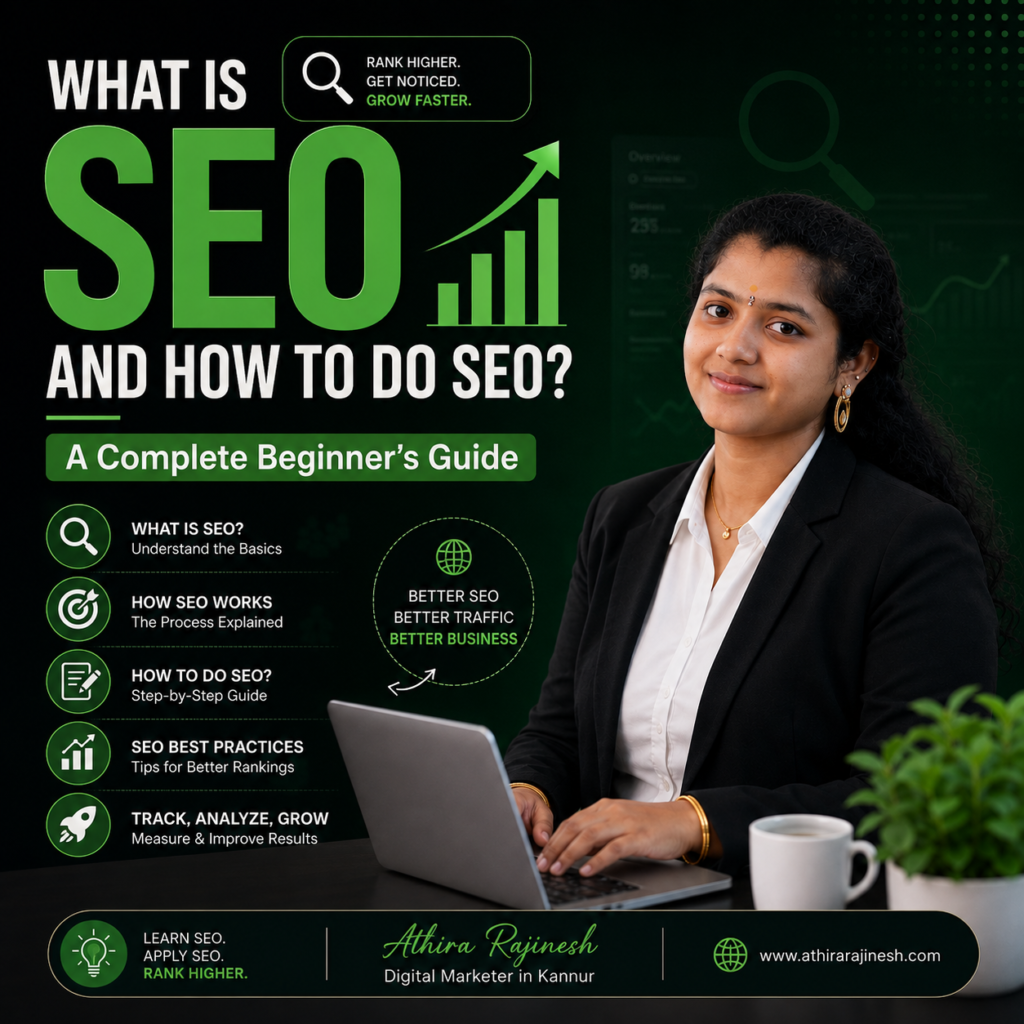
What is SEO and How to Do SEO? A Complete Beginner’s Guide

What is SEO and How to Do SEO? A Complete Beginner’s Guide A business or website owner? Then surely you have heard about SEO, but how well do you understand SEO? Search Engine Optimization (SEO), a term that refers to Search Engine Optimization, is perhaps one of the most effective ways for digital marketing and increasing visibility, drawing visitors to websites, and ensuring business sustainability. Whether a small business, a freelancer, or an entrepreneur, understanding SEO is very crucial. As a skilled SEO Strategist, I always guide businesses to online success through the application of some of the best SEO techniques. Here in this guide, you will get to understand what SEO is, its importance, and how to do SEO step by step. What is SEO? SEO means “Search Engine Optimization”, which is an optimization technique that helps websites rank higher on search engines such as Google, Yahoo, and Bing. Put another way, SEO is all about bringing in organic traffic to your website through optimization of relevancy, authority, and usability. This happens when someone is searching for: Best Digital Marketing Agency Website Designer SEO Services Digital Marketing Consultant Google shows the most relevant websites. SEO ensures your website gets included among the best results shown. A professional SEO Strategist knows how search engines operate and improves websites in line with Google’s ranking criteria. Why is SEO Important? SEO provides lasting value which paid advertisements can’t always give you. The top ones include the following: More traffic to the website Improved Google rankings Greater brand awareness High quality leads A better user experience Enhanced credibility Higher conversion rates Business growth Good ROI Unlike paid advertisements, SEO will continue to drive traffic even after you finish with your optimization efforts. How Does SEO Work? Search engines utilize automated programs known as crawlers to crawl through and catalog web pages. Google ranks websites using hundreds of ranking signals such as: Page speed Mobile-friendliness Quality content Keyword relevance Backlinking User experience Internal linking Technical aspects An experienced SEO Strategist is always concerned with all of the above signals. Types of SEO 1. On-Page SEO On-page SEO focuses on optimizing the content and structure of individual web pages. It includes: Keyword optimization SEO-friendly titles Meta descriptions Header tags (H1, H2, H3) Internal linking Image optimization URL optimization High-quality content Off-Page SEO Off-page SEO involves activities performed outside your website to improve authority. Examples include: Link building Guest blogging Brand mentions Social media sharing Business directory listings Google Business Profile optimization Technical SEO Technical SEO ensures your website can be crawled and indexed efficiently. It includes: XML sitemap Robots.txt HTTPS security Structured data Core Web Vitals Mobile optimization Page speed improvements Fixing broken links Local SEO Local SEO helps businesses appear in local search results. For example: SEO services near me Digital marketer in Kannur Website designer in Kannur Local SEO includes: Google Business Profile optimization Local citations Customer reviews Location-based keywords NAP consistency (Name, Address, Phone Number) If you’re looking for an SEO Expert in Kannur, choosing someone with proven local SEO experience can significantly improve your visibility in regional search results. Step-by-Step Guide to Doing SEO Step 1: Perform Keyword Research Keyword research is the foundation of SEO. Find keywords your audience is searching for using tools like: Google Keyword Planner Ubersuggest SEMrush Ahrefs Google Search Console Choose keywords based on: Search volume Competition Search intent Business relevance Step 2: Create High-Quality Content Google rewards helpful and informative content. Your content should: Answer user questions Be easy to read Include relevant keywords naturally Use headings and subheadings Include images and examples Provide unique insights Avoid keyword stuffing, as it can negatively impact rankings. Step 3: Optimize Title Tags Your title tag is one of the first things users see in search results. Example: What is SEO and How to Do SEO? | Complete Beginner Guide Keep titles: Under 60 characters Keyword-focused Easy to understand Click-worthy Step 4: Write Meta Descriptions Meta descriptions improve click-through rates. A good meta description should: Be under 160 characters Include your primary keyword Encourage users to click Step 5: Optimize Images Images improve user engagement but should also be optimized. Best practices include: Compress image size Use descriptive filenames Add alt text Choose modern formats like WebP Improve loading speed Step 6: Improve Website Speed Website speed directly impacts rankings and user experience. Ways to improve speed include: Compress images Use browser caching Minify CSS and JavaScript Choose reliable hosting Enable lazy loading Step 7: Build High-Quality Backlinks Backlinks remain one of Google’s strongest ranking signals. You can earn backlinks through: Guest posting High-quality content PR campaigns Industry directories Partnerships Focus on quality over quantity. Step 8: Optimize for Mobile Devices Most users browse on smartphones. Ensure your website is: Responsive Fast-loading Easy to navigate Mobile-friendly Google uses mobile-first indexing, making this step essential. Step 9: Use Internal Linking Internal links help users and search engines navigate your website. Benefits include: Better page authority distribution Improved crawlability Increased time on site Better user experience Link related blog posts and service pages where appropriate. Step 10: Track SEO Performance SEO is an ongoing process. Monitor your progress using: Google Analytics Google Search Console SEMrush Ahrefs Track important metrics such as: Organic traffic Keyword rankings Click-through rate (CTR) Bounce rate Conversions Regular analysis helps refine your strategy for better results. Common SEO Mistakes to Avoid Many websites struggle to rank because of avoidable errors. Some common mistakes include: Keyword stuffing Duplicate content Slow-loading pages Ignoring mobile optimization Poor internal linking Missing meta descriptions Broken links Low-quality backlinks Publishing thin content Neglecting technical SEO Avoiding these issues can significantly improve your website’s performance. Why Hire an SEO Strategist? While basic SEO can be learned, achieving consistent results requires expertise and ongoing effort. A professional SEO Strategist can help you: Develop a customized SEO strategy Identify valuable keywords Optimize your website structure Improve technical SEO Build quality backlinks Increase organic traffic Monitor and refine performance over time Whether you’re a local

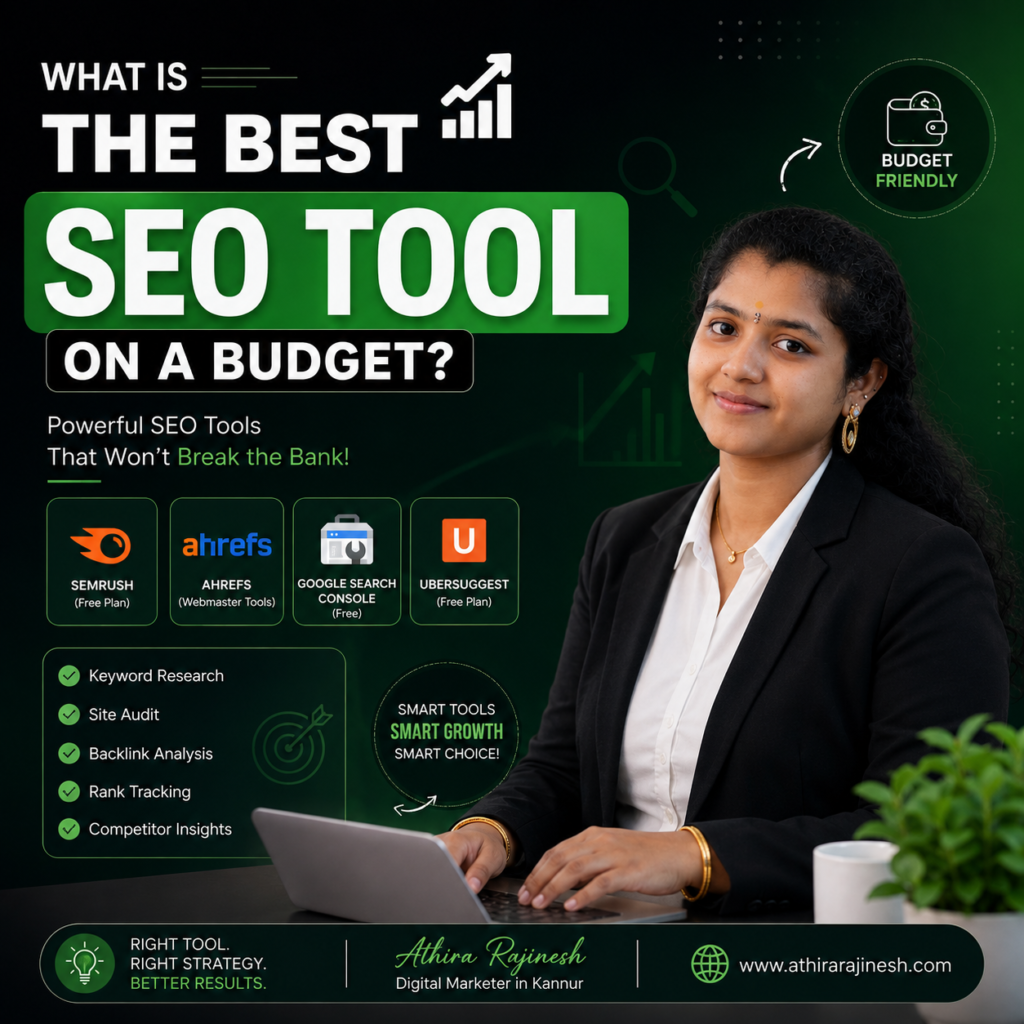
best seo tools on budget athira rajinesh
Search Engine Optimization

What Is the Best SEO Tool on a Budget?

What Is the Best SEO Tools on Budget? As a businessman, a freelancer, a startup, or a blogger, you must have asked yourself: “What is the best SEO tools on budget?” The great thing about it is that you don’t have to shell out thousands of rupees every month to boost your ranking in Google. These days, many affordable SEO tools exist which come with some powerful features including keyword research, competitor analysis, technical SEO, backlink checker, and content optimization. In this guide, we will compare the best SEO tools within budget, tell you which one suits best and why, and how to pick the perfect one without overpaying. Why Investing in an SEO Tool Matters Search Engine Optimization (SEO) can be considered as one of the most affordable digital marketing approaches. An appropriate SEO tool will allow you to: Find high-ranking keywords Competitor analysis Website optimization Technical SEO problems identification Keyword rankings tracking Quality backlink building Content optimization Without these data, it would be hard to compete on search engines. Best Budget SEO Tools in 2026 Ubersuggest Good For: Beginners and small companies Pricing: Monthly and lifetime packages at reasonable rates Features Keyword Research SEO Audit Competitor Analysis Backlinks Checker Rank Tracker Ideas for content Strengths ✓ User-friendly interface ✓ Very affordable ✓ Ideal for beginners ✓ Keyword suggestions are pretty good Weaknesses Search limit with lower-tier packages Lacks large database compared to premium competition Conclusion: One of the best SEO tools for beginner users looking for good value. Mangools Suitable For: Bloggers and freelancers Contains KWFinder SERPChecker SERPWatcher LinkMiner SiteProfiler Strengths Friendly user interface Very good keyword research Keyword difficulty is very accurate Good for local SEO Weaknesses: Not too many advanced features Best Fit For: Blog SE Ranking Suitable For: Agencies and emerging companies Features Include Website Audit Keywords Monitoring Competitive Analysis Backlink Checking Marketing Strategy White Label Reports Advantages Good Pricing Good Reports Excellent Package Disadvantages: Learning Curve Google Search Console (Free) If your budget is extremely tight, you must use this tool. It Helps You Analyze website performance Determine indexing problems Measure clicks and impressions Discover keyword opportunities Submit Sitemaps Why Is It Awesome: It is free and delivers Google’s data. Google Analytics 4 (Free) Google Analytics provides insights about user interactions with your site. This includes Source of traffic User behavior Landing pages Conversions Engagements Together with Google Search Console, it’s an essential part of any SEO campaign. Screaming Frog SEO Spider Useful For: Technical SEO Features Of Free Version Include Crawling up to 500 URLs Identifying broken links Duplicate page detection Metadata analysis Redirects check Perfect tool for site audits. AnswerThePublic Excellent tool for discovering what people ask in their queries in Google. Great for Blog post ideas FAQ pages Content marketing Voice search optimization Keyword Surfer (Free Chrome Extension) It is an easy to use Chrome extension that shows Search volume Keyword suggestions Related searches Keywords similar to yours Great for quick keyword research. Comparison of Budget SEO Tools Tool Best For Free Plan Affordable Pricing Ubersuggest Beginners Yes Mangools Bloggers Limited SE Ranking Agencies Trial Google Search Console Everyone Yes Free Google Analytics Everyone Yes Free Screaming Frog Technical SEO Yes Affordable AnswerThePublic Content Ideas Limited Affordable Keyword Surfer Keyword Research Yes Free Which SEO Tool Offers the Best Value? For the perfect blend of value for money and functionality, here are the tools to go for: Best Overall Budget SEO Tool SE Ranking Suitable for any business that requires an all-rounded SEO suite. Best for Beginners Ubersuggest Easy-to-use software that comes equipped with all basic SEO features. Best Free SEO Tool Google Search Console An absolute necessity for every website owner. Best for Content Marketing AnswerThePublic Excellent tool for finding out what topics your users search for. Best Technical SEO Tool Screaming Frog Good for finding all technical issues affecting rankings. Are Free SEO Tools Sufficient? Yes, there are many companies who can get good results by using free SEO tools like: Google Search Console Google Analytics Keyword Surfer Google Trends AnswerThePublic (Free version) However, once your website has grown, purchasing an SEO tool will be a wise decision. How to Choose Your SEO Tool? Ask yourself some questions before getting an SEO tool subscription: What is my budget? Do I need any keyword research? Do I need any backlinks analysis? Do I run more than one website? Am I a novice or an expert in SEO? It makes sense to purchase a tool according to your needs. Final Thoughts  The choice of the best affordable SEO tool will depend on your requirements, but for any small business or freelancer, SE Ranking, Ubersuggest, and Mangools can be an excellent option. Combining one of these SEO tools with free ones such as Google Search Console and Google Analytics allows forming an effective SEO suite that does not require extra spending. Keep in mind that the most important thing in SEO is not purchasing the most expensive SEO tool but using the information obtained from it for your website improvement, content creation, and user experience enhancement. In case of uncertainty with which SEO tool to choose or developing the SEO strategy, consulting an SEO specialist will help you to achieve the required results and make efficient spending. Need Help Optimizing Your Website for Search Engines? I am Athira Rajinesh, a Freelance SEO Specialist in Kerala and Digital Marketing Strategist helping businesses to get better search rankings, drive organic traffic, and generate high-quality leads with SEO techniques. If you want an SEO audit, keyword research, on-page SEO, technical SEO optimizations or a full SEO strategy development, contact me at athirarajinesh.com. find me

SEO Specialist in Kerala
Search Engine Optimization

SEO and SMM Difference: Which One Is Better for Your Business?

SEO and SMM Difference: Which One Is Better for Your Business? As an SEO Specialist in Kerala, I often meet business owners who want to grow online but feel confused by digital marketing terms. Two strategies that usually create the most confusion are SEO and SMM. Both are powerful, but they work in different ways. Understanding the SEO and SMM difference can help you choose the right approach for your business. With more businesses moving online, many company owners in Kerala are looking for the best digital marketer in Kannur to guide them with the right digital strategy instead of guessing what works. What is SEO? SEO stands for Search Engine Optimization. It is the process of improving your website so it appears higher on search engines like Google. When someone searches for a product or service that you offer, SEO helps your business show up at the right time. As an SEO Specialist in Kerala, my focus is to make sure your website is easy to find, easy to use, and useful for your audience. SEO is not about tricks or shortcuts. It is about building a strong and trustworthy online presence. SEO mainly focuses on: Finding the right keywords your customers search for Creating helpful and clear website content Improving page speed and mobile performance Enhancing user experience Increasing local search visibility SEO is a long-term strategy. You may not see results immediately, but once your website starts ranking well, it brings steady and organic traffic. Many business owners prefer working with an SEO Specialist in Kerala because SEO continues to deliver results even without daily advertising spend. Why SEO Is Important for Business Owners Most customers today search on Google before making a decision. They look for reviews, services, locations, and contact details. If your website does not appear on the first page, they may never find you. An SEO Specialist in Kerala helps your business appear when customers are actively searching. This means the traffic you get from SEO is highly valuable because people already have intent. They are not just browsing — they are looking for solutions. SEO also builds trust. When your website consistently appears on search results, customers start to see your brand as reliable and professional. Over time, this trust turns into enquiries, calls, and sales. What is SMM? SMM stands for Social Media Marketing. It involves promoting your business on platforms like Instagram, Facebook, LinkedIn, and others. Unlike SEO, which focuses on search engines, SMM focuses on connecting with people where they spend their time daily. Social media marketing helps you: Build brand awareness Engage with your audience Share updates, offers, and stories Create a personal connection with customers While SEO brings people who are searching, SMM helps you stay visible to people who may not yet be looking for your services. How SMM Works for Businesses SMM works through regular posting, creative content, reels, videos, and sometimes paid ads. It allows businesses to show their personality and communicate directly with their audience. SMM focuses on: Social media posts and stories Reels and short-form videos Paid promotions and ads Comments, messages, and engagement Brand communication and visibility Unlike SEO, SMM usually gives faster results. You can reach people quickly, especially during promotions or launches. However, the visibility often depends on consistent posting and sometimes paid advertising. Many businesses work with an SEO Specialist in Kerala who also understands SMM, so both strategies support each other instead of working separately. SEO and SMM Difference Explained Simply Understanding the SEO and SMM difference becomes easier when you look at how they work in real life. 1. Platform SEO works mainly on search engines like Google.SMM works on social media platforms such as Instagram and Facebook. 2. Speed of Results SEO takes time but gives long-lasting results.SMM gives faster visibility but needs regular activity. 3. Cost SEO is cost-effective in the long run.SMM may require paid ads for better reach. 4. Type of Audience SEO attracts people actively searching for solutions.SMM reaches people while they browse social media. This is why many business owners choose an SEO Specialist in Kerala who can balance both strategies instead of relying on only one. Which One Is Better for Your Business? There is no single answer that works for every business. SEO and SMM serve different purposes, and both are valuable in their own way. SEO is best if you want: Long-term business growth Consistent website traffic Better Google rankings Strong online credibility SMM is best if you want: Quick visibility Brand awareness Customer interaction Promotion of offers and updates A skilled SEO Specialist in Kerala will not tell you to choose one and ignore the other. Instead, they will suggest a strategy that uses both in the right balance. Why SEO and SMM Work Better Together SEO and SMM are not competitors. They actually support each other. SEO builds the foundation of your online presence, while SMM keeps your brand active and engaging. For example: SEO helps people find your website SMM helps people remember your brand When someone sees your business on social media and later searches for you on Google, SEO ensures your website appears. This combination builds trust and familiarity. Many businesses that work with an SEO Specialist in Kerala see better results because their SEO and SMM strategies are aligned instead of scattered. Why Local Businesses in Kerala Need SEO and SMM Customers in Kerala search locally. They look for nearby services, reviews, and contact information. At the same time, they are very active on social media platforms. Local SEO helps your business appear in: Google search results Google Maps Local business listings Social media helps you: Stay visible in your local community Build relationships Share real updates and success stories An experienced SEO Specialist in Kerala understands local customer behavior and creates strategies that match how people search and interact online. Common Mistakes Business Owners Make Many business owners either focus only on social media or expect instant SEO results.

Scroll to Top